Best Ergonomic Keyboards for Wrist Pain (UK 2026 Guide)
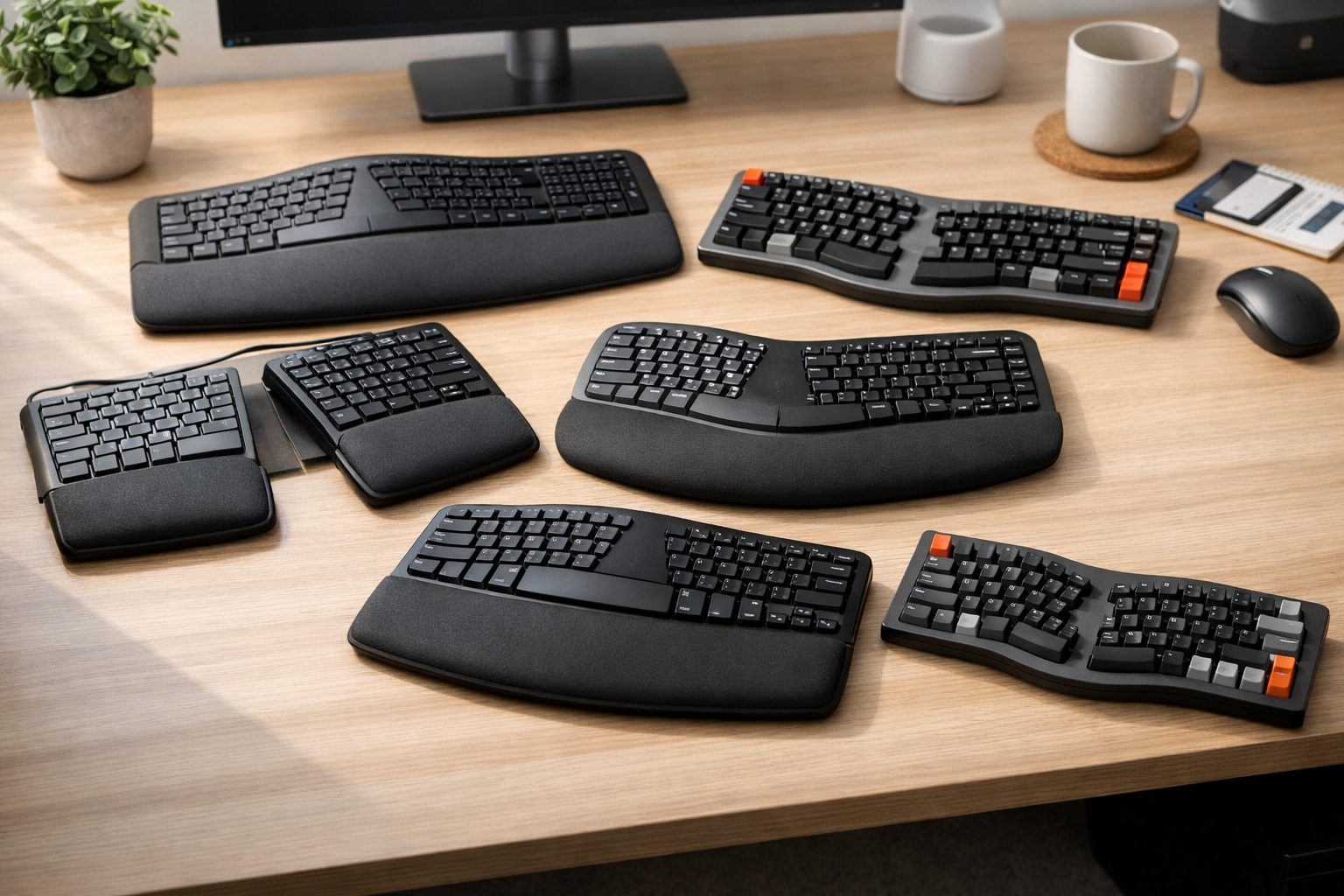
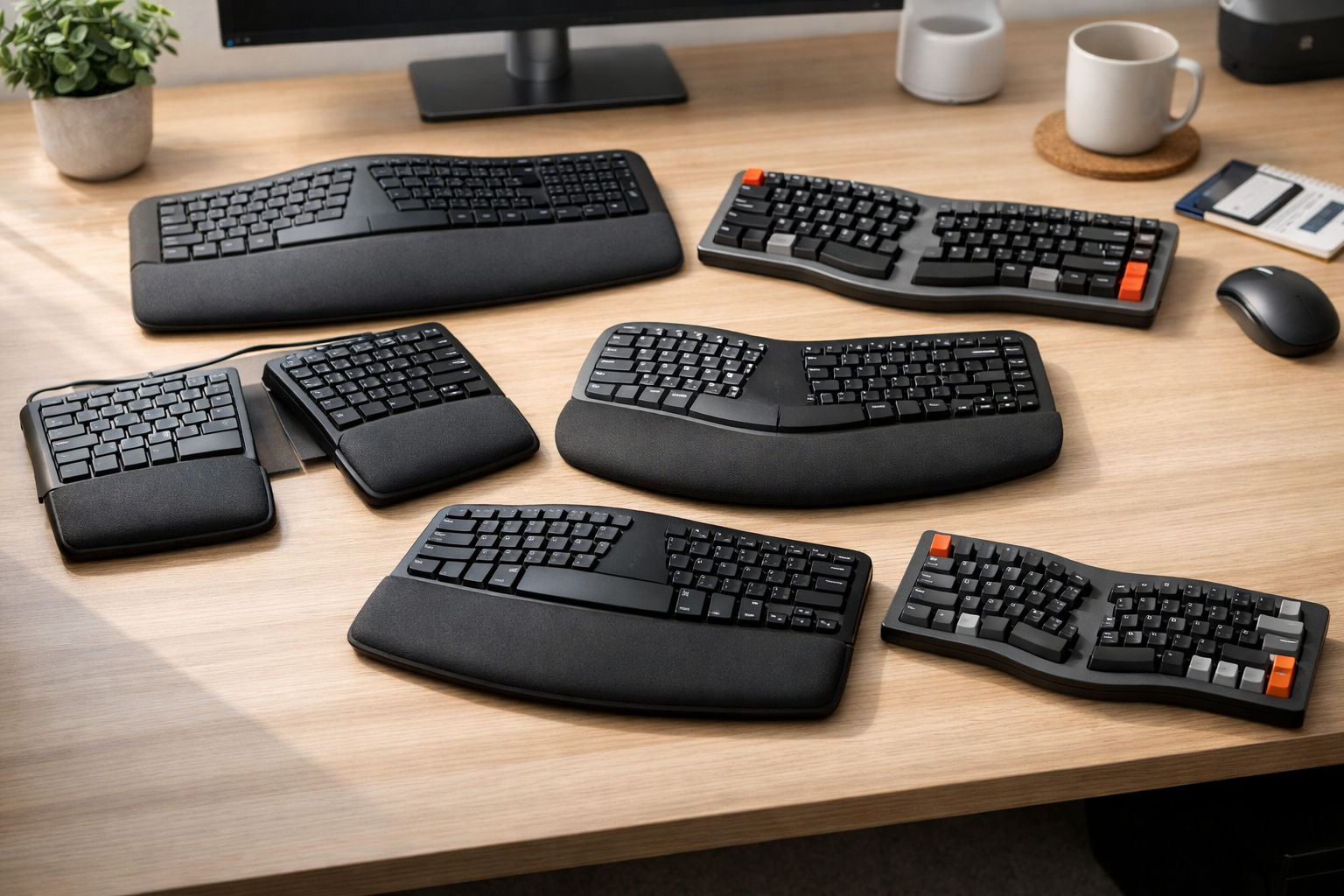
Wrist pain is one of the most common issues facing UK office workers, remote workers, and anyone who spends long hours typing. Whether it’s early signs of RSI, ongoing discomfort, or simply wanting to prevent long‑term strain, choosing the right ergonomic keyboard can make a dramatic difference.
In this friendly, expert guide, we break down the best ergonomic keyboards for wrist pain in the UK for 2026, explain what to look for, and help you choose the right model for your setup.
If you’re building a full ergonomic workstation, you may also find our main hub helpful: best ergonomic keyboards UK.
Top Picks at a Glance
Below is a quick comparison of the best ergonomic keyboards for wrist pain in 2026. Each model includes a direct Amazon UK link (affiliate, nofollow + sponsored).
Comparison Table: Best Ergonomic Keyboards for Wrist Pain (UK 2026)
| Model | Main Features | Pros | Cons |
|---|---|---|---|
| Logitech ERGO K860 | Curved split layout, pillowed wrist rest, negative tilt, wireless | Excellent wrist support, quiet keys, natural typing angle | No mechanical option, slightly large footprint |
| Microsoft Sculpt Ergonomic Keyboard | Domed split design, cushioned palm rest, separate number pad | Very comfortable, medically recommended, compact | Soft key feel, not ideal for fast typists |
| Kinesis Freestyle2 | Fully split design, optional tenting, lightweight | Highly adjustable, excellent for severe wrist pain | Accessories cost extra, plain design |
| Perixx Periboard‑612 | Split layout, cushioned wrist rest, wireless | Affordable, comfortable, easy to adapt to | Basic build quality, light key feel |
| Keychron Q8 Alice Layout | Alice ergonomic layout, mechanical switches, aluminium body | Premium typing feel, ergonomic curve, hot‑swappable | No wrist rest included, learning curve |
1. Logitech ERGO K860 — Best Overall for Wrist Pain Relief
The Logitech ERGO K860 continues to dominate the UK ergonomic market in 2026. Its curved split layout and pillowed wrist rest create a natural typing posture that reduces wrist extension — one of the biggest contributors to wrist pain.
The negative tilt is particularly helpful, as it positions your wrists in a neutral, relaxed angle rather than bending upwards.
Why it’s great for wrist pain:
- Deep, cushioned wrist support
- Natural hand separation
- Excellent for long typing sessions
If you’re also upgrading your desk setup, pairing this with a good monitor arm can help reduce neck strain too. See our guide: best dual monitor arms UK (2026 review & comparison).
2. Microsoft Sculpt Ergonomic Keyboard — Best for Neutral Wrist Position
The Microsoft Sculpt remains one of the most medically recommended ergonomic keyboards thanks to its domed shape, which encourages a neutral wrist angle. The cushioned palm rest is excellent for reducing pressure on the median nerve.
Why it’s great for wrist pain:
- Domed design reduces pronation
- Soft, supportive wrist rest
- Compact and tidy for home offices
3. Kinesis Freestyle2 — Best for Severe Wrist Pain or RSI
If you have ongoing wrist pain, RSI, or carpal tunnel symptoms, the Kinesis Freestyle2 is one of the best keyboards you can buy. Its fully split design lets you position each half exactly where your wrists feel most comfortable.
Add the optional tenting kit and you can raise the centre of the keyboard to reduce forearm pronation even further.
Why it’s great for wrist pain:
- Fully split = maximum adjustability
- Proven RSI reduction
- Lightweight and portable
4. Perixx Periboard‑612 — Best Budget Ergonomic Keyboard
If you want ergonomic benefits without spending over £100, the Perixx Periboard‑612 is a fantastic entry‑level option. It offers a split layout, cushioned wrist rest, and wireless connectivity at a very accessible price.
5. Keychron Q8 — Best Premium Mechanical Ergonomic Keyboard
For programmers, writers, and mechanical keyboard fans, the Keychron Q8 offers a premium ergonomic experience. Its Alice‑style layout provides a natural curve that reduces wrist strain while still delivering a satisfying mechanical typing feel.
If you’re a developer, you may also enjoy our specialist guide: best ergonomic keyboards for programmers UK (2026 guide).
How to Choose an Ergonomic Keyboard for Wrist Pain
Choosing the right ergonomic keyboard depends on your symptoms, typing habits, and desk setup. Here’s what to look for:
1. Split or Curved Layout
Split keyboards reduce ulnar deviation (sideways wrist bending). Curved keyboards offer a more natural hand position without the learning curve.
2. Wrist Support
A cushioned wrist rest is essential for reducing pressure on the median nerve.
3. Tenting Options
Tenting (raising the middle of the keyboard) reduces forearm pronation — a major cause of wrist pain.
4. Switch Type
Membrane = softer, quieter. Mechanical = more tactile, better for long sessions.
5. Compatibility
Most ergonomic keyboards work with Windows and macOS, but always check before buying.
FAQ: Ergonomic Keyboards & Wrist Pain
Do ergonomic keyboards really help with wrist pain?
Yes. They reduce wrist extension, ulnar deviation, and pronation — all major contributors to wrist discomfort.
Is a split keyboard better than a curved one?
Split keyboards offer more adjustability, but curved keyboards are easier for beginners.
Do I need a wrist rest?
Yes. A cushioned wrist rest is one of the most effective ways to reduce wrist pain.
How long does it take to adjust?
Most people adapt within 3–7 days.